Start with today.
Choose a date on the calendar and write. Keep a few lines, a daily reflection or ideas you want to come back to.
A little space for your days · Windows
The thought on your walk. A small win. A plan worth keeping. Give each day a place in a journal that stays on your computer.
Available on Microsoft Store · Windows 10 and 11
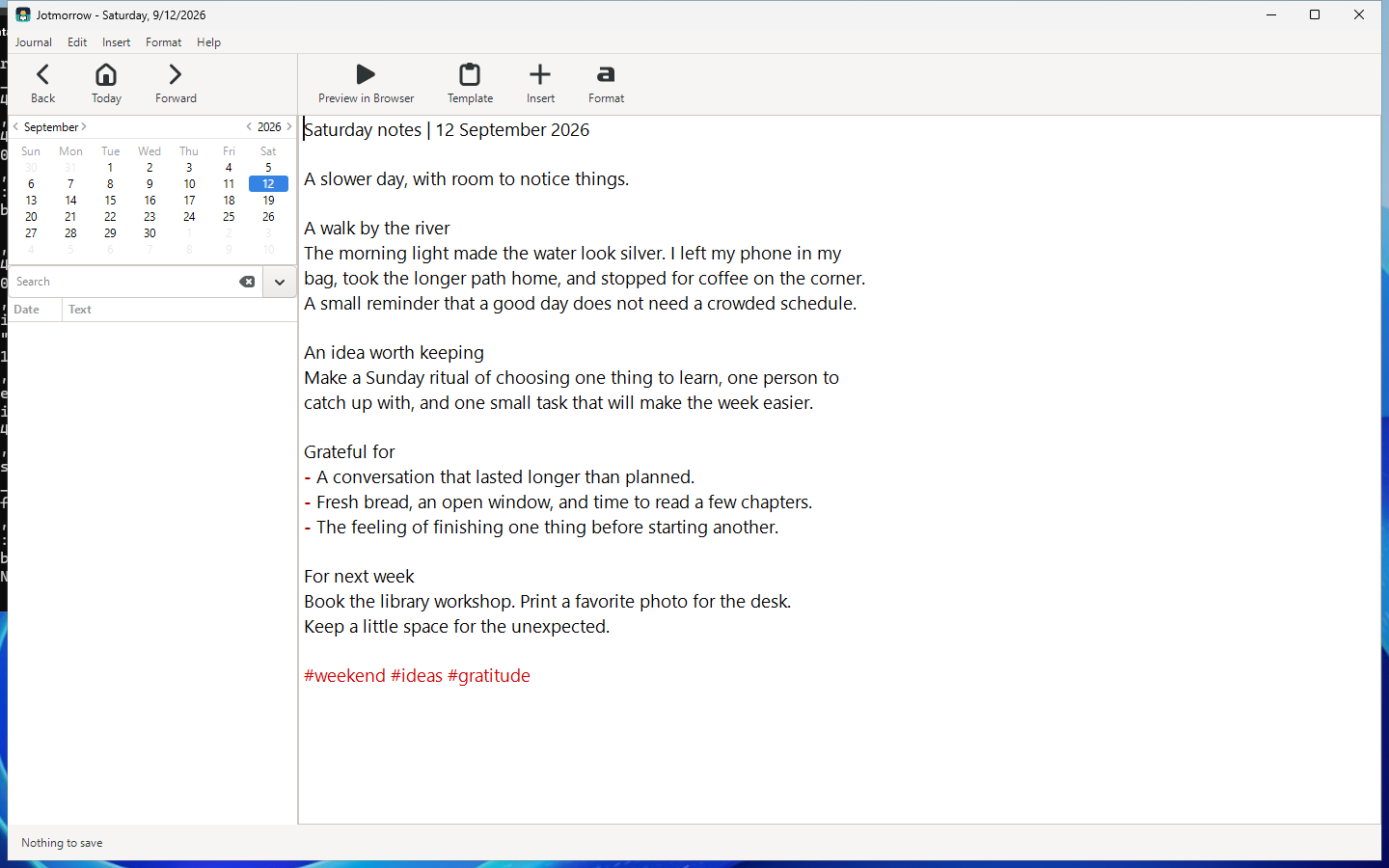
Choose a date on the calendar and write. Keep a few lines, a daily reflection or ideas you want to come back to.
Add tags and use search to revisit what you recorded. Move between dates when you want to look back.
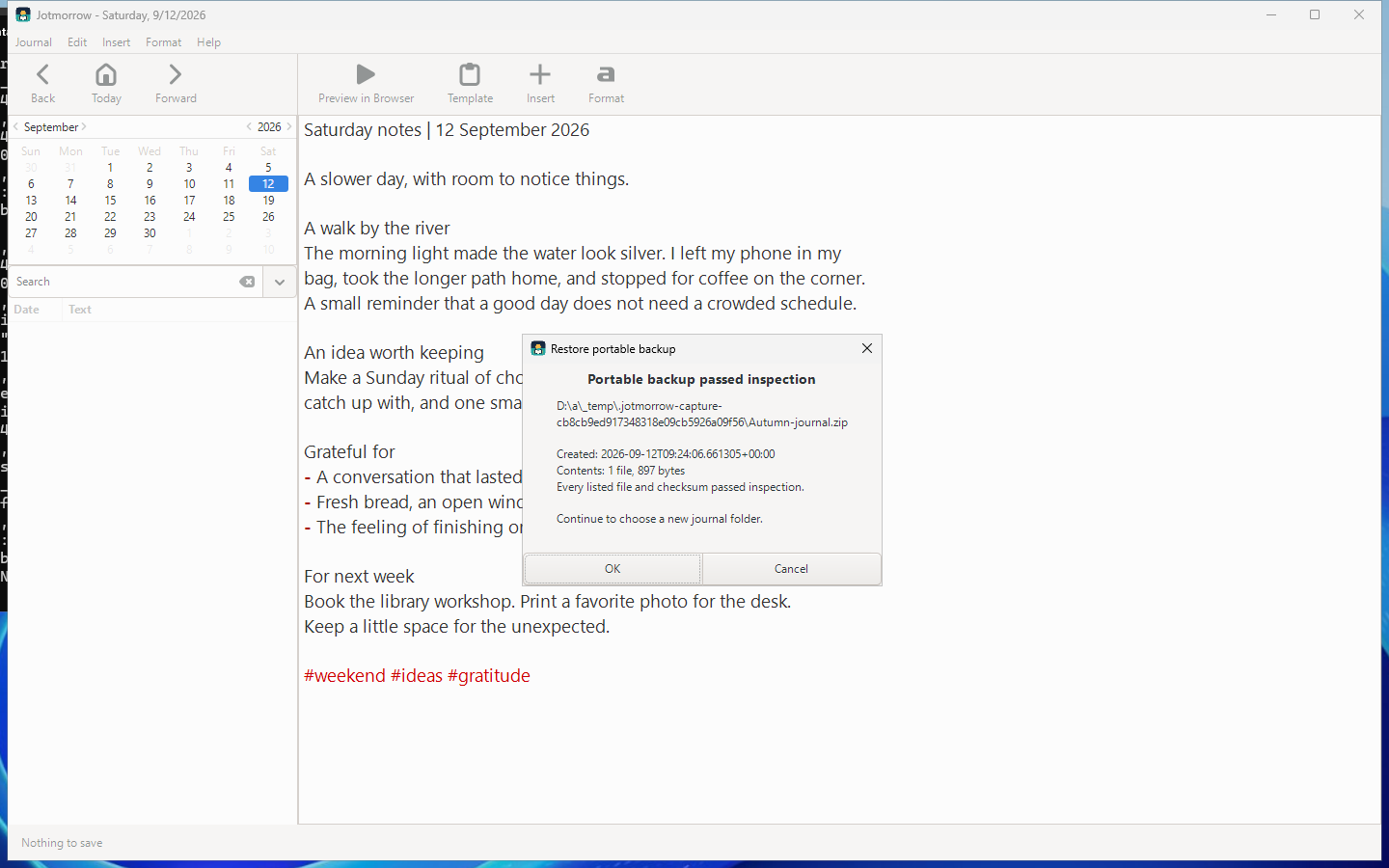
Create a portable backup of your journal. Inspect its contents and checksums before restoring into a new folder.
For the words you want to keep
Save a portable journal archive. Jotmorrow checks the listed files and their checksums before asking you to choose a new restore folder. Your current journal stays where it is.
A simple routine, at your own pace
Jotmorrow runs locally on your Windows PC. No account or cloud upload is needed to write, search or back up your journal.
Pick a date and record the things you want to remember.
Tag recurring ideas, projects or moments. Use search when you want to return to them.
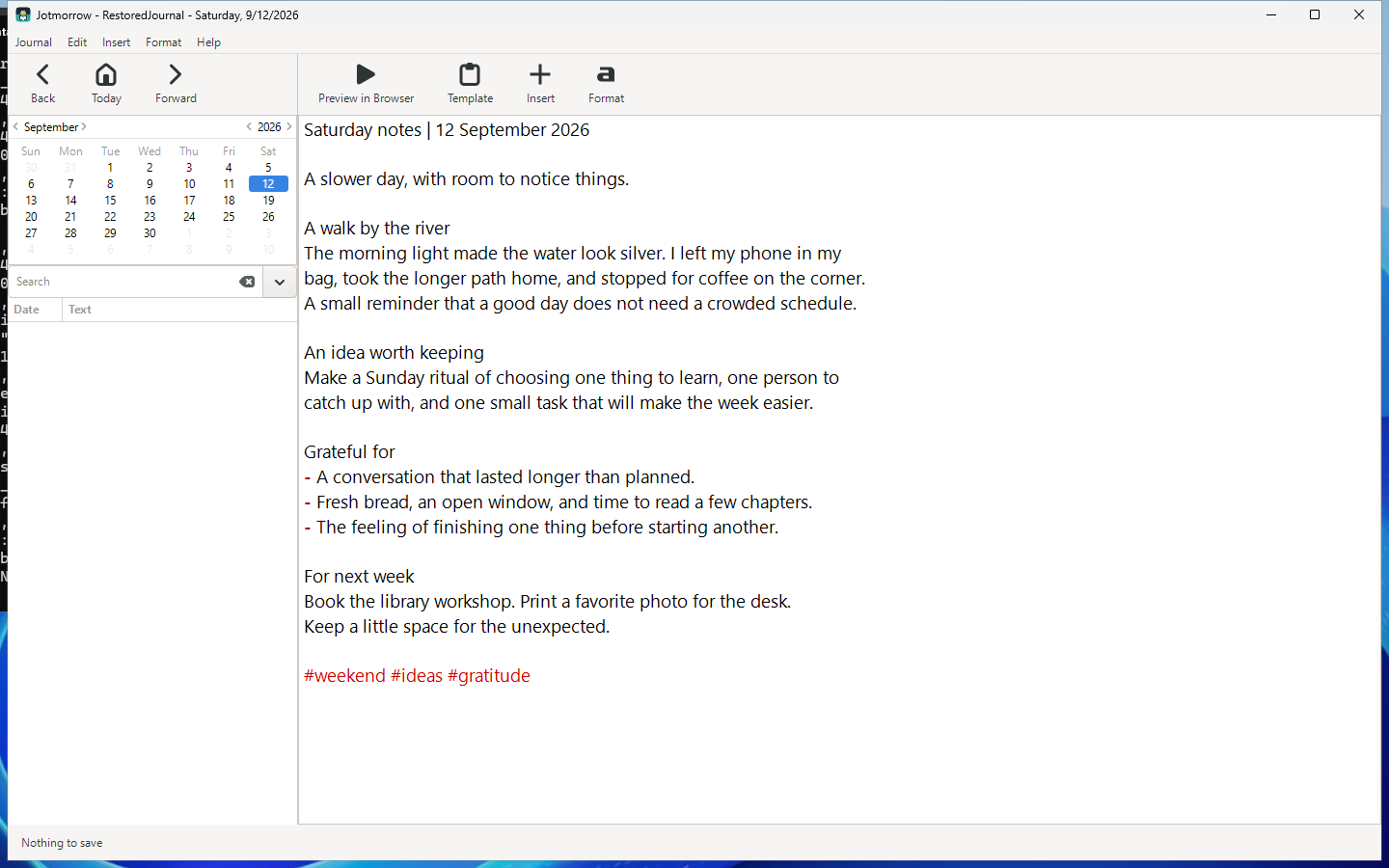
Choose where to save a backup archive. Restore into a new folder and open the recovered journal when you are ready.
One-time purchase
Keep your writing close, with dated entries, tags, search and portable backups for Windows.
US launch price · Pay once, no subscription.
Microsoft Store displays local prices and applicable taxes.
Before your first entry
Your entries, tags, journal files and backups are stored locally. You choose where to keep journal folders and portable archives. Read the privacy policy for details.
Portable backups include eligible files inside the journal folder. Links to files outside that folder are not automatically made portable. Keep separate copies of outside attachments and review the backup contents before relying on it.
Restore asks for a new destination folder. After inspection and restoration, you can choose to open that recovered journal. Your existing journal is not silently overwritten.
Jotmorrow is a local Windows journal. Mobile synchronization, cloud accounts and social-feed imports are not included.
The x64 app requires Windows 10 version 2004 (build 19041) or later, including Windows 11. Visit support for help with journal folders or backup inspection.
Jotmorrow is an independent Trieflow LLC product based on RedNotebook open-source software. Source code, build instructions and license notices are available without charge.